
Directory › Video › Chain Motion
> GEM VIDEO
Chain Motion
by spacesimeco-hue · ex-Frame Forge
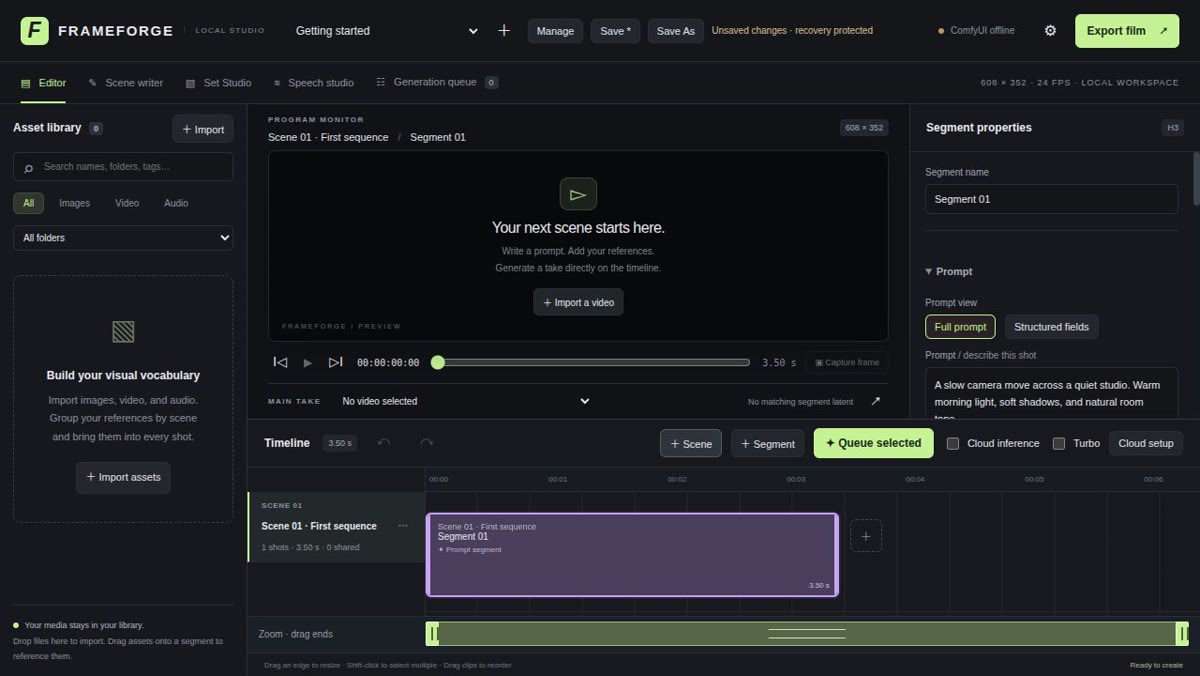
Edit your AI film shot by shot.
View on GitHub →What it does
- A timeline on top of ComfyUI to chain your clips
- LLM scene writer, pose studio and voice studio
- Generate locally… or with Comfy Cloud credits
Install it
Requirements: Python 3 and a working ComfyUI install (local or on another machine). No Node.js needed.
Get the project
git clone https://github.com/spacesimeco-hue/Chain-Motion-AI-Video-Editor.gitLaunch (macOS / Linux)
cd Chain-Motion-AI-Video-Editor && ./start.shLaunch (Windows)
start.bat
The prompt for your agent
Paste it into your coding agent: it checks the requirements and installs it for you.
Claude CodeCodexCursorGemini CLIopencode
Prompt
Install Chain Motion, the AI video editor for ComfyUI (https://github.com/spacesimeco-hue/Chain-Motion-AI-Video-Editor).
1. Check that Python 3 is installed and ask me for my ComfyUI address (default http://127.0.0.1:8188).
2. Clone the repository into a folder I can write to.
3. Run ./start.sh (macOS/Linux) or start.bat (Windows): it creates the environment and installs dependencies.
4. Open http://127.0.0.1:8787 and guide me through entering the ComfyUI address in the settings.
Always review what your agent is about to run, especially install commands.