
Directory › Development › Graphify
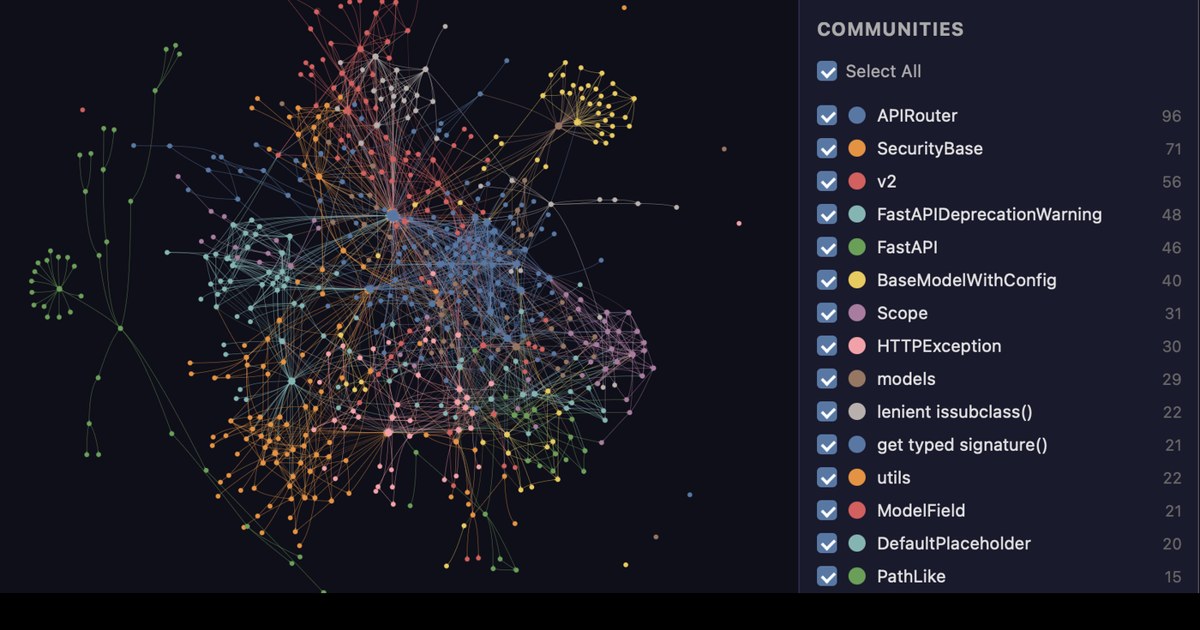
> GEM DEVELOPMENT · AGENTS & AUTOMATION · SAVE TOKENS
Graphify
by Graphify Labs
Turns your project (code, docs, PDFs, images) into a knowledge graph your coding assistant can query, instead of re-reading thousands of files.
View on GitHub →What it does
- Type /graphify in your coding assistant: it maps the code, docs, PDFs and images
- The graph opens in your browser, every link is explained, and the analysis runs locally
- Works with Claude Code, Cursor, Codex or Gemini CLI; a paid cloud offer exists alongside
! Tested by HelloPixDig on October 20, 2026 on the OpenMontage code (graphify update, code only): 334 files, 3,766 nodes, 10,909 links in 7 seconds, 0 tokens; the docs, PDF and image part was not tested. Further information from the official README (version 0.9.92, October 16, 2026, Apache 2.0 license). The “up to 80% fewer tokens” figure is shown at the top of the README next to Graphify Cloud, the paid cloud offer (14-day free trial): it is not demonstrated for the free local tool, and we have not verified it. The tool itself is free, but the coding assistant it needs is often paid.
Install it
Requirements: Python 3.10+, uv (or pipx) and a compatible coding assistant.
uv tool install graphifyygraphify install/graphify .
The prompt for your agent
Paste it into your coding agent: it checks the requirements and installs it for you.
Install Graphify (https://github.com/Graphify-Labs/graphify) on my machine.
1. Check the requirements: Python 3.10+, uv (or pipx) and a compatible coding assistant. If anything is missing, tell me before installing anything.
2. Follow the official method:
- Install the command: uv tool install graphifyy
- Register the skill (once): graphify install
- In your coding assistant: /graphify .
3. Check that it works, then explain how to launch it and where to start.
Always review what your agent is about to run, especially install commands.