
Directory › Development › Portly
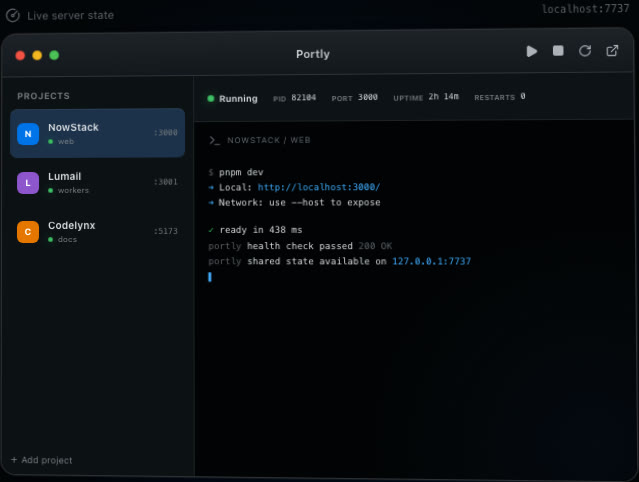
> GEM DEVELOPMENT · LOCAL AI
Portly
by Melvynx
A supervisor for all your local dev servers: it restarts the ones that crash and keeps your ports clean.
View on GitHub →What it does
- Each command runs in a real terminal, with its port checked and logs you can read
- Automatic restart after a crash, and a resource dashboard (RAM, CPU) per project
- A menu bar app, a portly command, and a local API on 127.0.0.1
Install it
Requirements: macOS 14 or later with Swift 6 for the app; Go for the Linux version.
Clone the repository
git clone https://github.com/Melvynx/portlyBuild, install and launch (macOS)
cd portly && ./build.sh --run
The prompt for your agent
Paste it into your coding agent: it checks the requirements and installs it for you.
Claude CodeCodexCursorGemini CLIopencode
Prompt
Install Portly (https://github.com/Melvynx/portly) on my machine.
1. Check the requirements: macOS 14 or later with Swift 6 for the app; Go for the Linux version. If anything is missing, tell me before installing anything.
2. Follow the official method:
- Clone the repository: git clone https://github.com/Melvynx/portly
- Build, install and launch (macOS): cd portly && ./build.sh --run
3. Check that it works, then explain how to launch it and where to start.
Always review what your agent is about to run, especially install commands.